
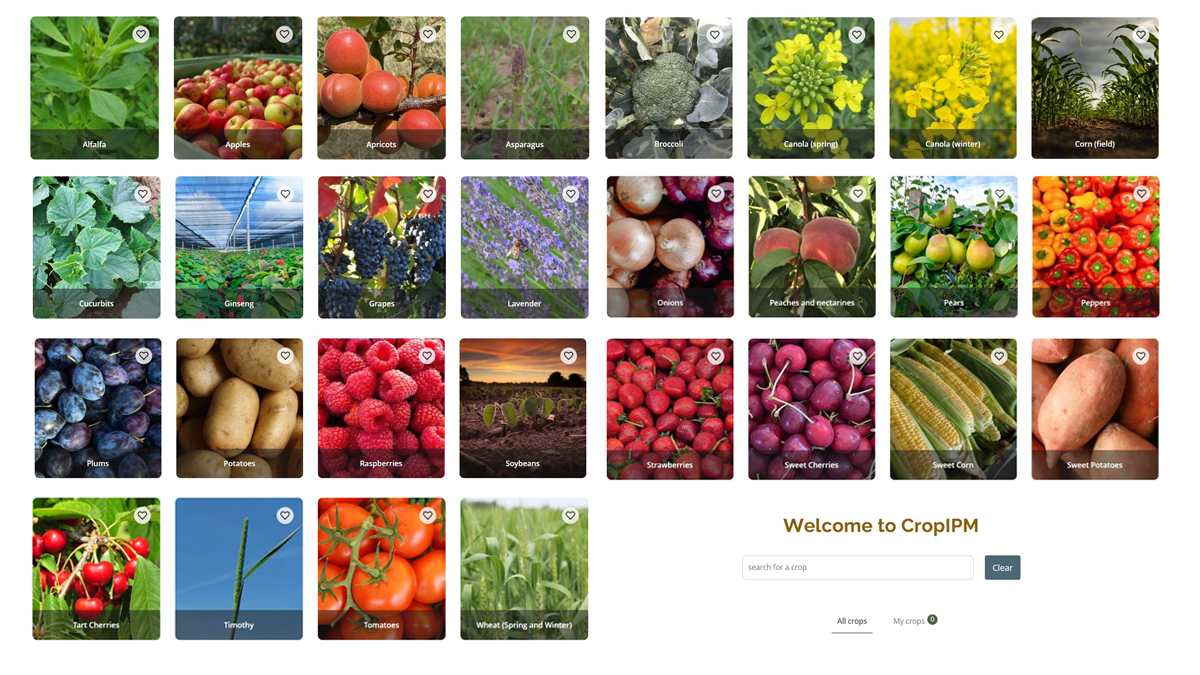
If you are looking for pest management information, CropIPM and the Crop Protection Hub (Crop Hub) have you covered!
What is CropIPM?
CropIPM is OMAFA’s resource for crop-specific integrated pest management (IPM) information. Ahead of the 2024 growing season, OMAFA released a new and improved version of CropIPM. The new CropIPM site includes:
- Updated crop-specific IPM information
- A new identify feature to help you identify weeds, diseases, disorders and insects
- Scouting calendars
- Comparisons of often-confused-with pests


Information on key pests that impact Ontario crops has been continually updated since the release of the new CropIPM website and we are currently working towards adding additional crop modules in the coming months.
Key Features of CropIPM
Once you are in a crop module, you can access crop-specific information by navigating through each tab beneath the page’s banner. Below is an outline of some key features of CropIPM and how you might use them.
Quickly view periods of pest activity with “Scouting”
If you are in the field and wondering which pests you should keep an eye out for, the scouting calendar is a great tool! You can quickly identify which diseases and insects are likely to be observed during each growth stage or month. To learn more or verify what you’re seeing, you can click on the pest name from the scouting calendar. This will take you to the pest page where you can access identification information, images, management notes and more!
When viewing the scouting calendar on your desktop, you’ll see the growth stages across the top, with pests categorized by disease or insect along the left side. Each coloured bubble corresponds to the likelihood of seeing the pest at that stage. As you hover over the coloured bubble, text will appear with the corresponding observation rating. There is also an option to download a PDF of the scouting calendar that can be printed and taken in the field.

When using a mobile device, the view of growth stages will be narrowed to one stage or month at a time. To switch to a different growth stage or month, click on the text and select a different one. To see the legend, click on the information icon in the bottom left corner or click on an individual coloured bubble to see how likely that pest is to be observed.
Explore and identify pests with “Identify”
The “identify” tab will show images of all pests included in that crop module. If you aren’t sure what pest you are seeing, this is a great place to start narrowing down what you are looking at. You can begin filtering images using the ‘Filters’ button at the top right corner of the page. After clicking the button, you can use the “part of crop affected” filter and select options like “leaves” or “stem” depending on when and where you are seeing the pest or pest damage. Additional filtering for insects, diseases or disorders can help you further narrow your results.

To help verify which pest you are seeing, click on a pest image. This will bring you to the pest page, which includes information on pest identification and biology, additional images of the pest and more.
Looking for pest-specific management information?
If you already know the pest you are seeing, go to the insects and mites, diseases, disorders or problematic weeds tabs and navigate to the identified pest.
Once in the insects and mites, diseases, disorders or problematic weeds tabs, click on the image for the pest you’ve already identified. This will bring you to the crop-specific pest page. It can also be accessed through the scouting calendar or identify tab. Here you can view key information on identification, biology, often-confused-with pests and management notes.
Current Vegetable Modules Available
If you have feedback on these changes or thoughts on how we can further improve CropIPM, please email ag.info.omafa@ontario.ca or use our feedback form.
0 comments on “Updates to CropIPM”